The format of the SDS has been adjusted following the description in Regulation (EU) 2020/878
Within SOFOS360, the SDS can be generated for each substance. The content of this SDS has been adjusted according to the guidelines described in Regulation (EU) 2020/878.
- Section 1.1 has been expanded to include the UFI numbers of all articles linked to the substance. Furthermore, this section can also indicate if it is a nano substance. For this purpose, a new field has been added to the 'Lists' tab in the substance. When there are multiple articles from different suppliers, the UFI code now also displays the supplier's name and the article code, making it clearer which UFI code corresponds to which item.
- If a substance has endocrine-disrupting properties, this is now described in section 2.3.
- If the data on estimated acute toxicity, M-factors, and specific concentration levels are included in the substance, these are now explicitly described in section 3.1. For mixture components, these data are included along with the classification in section 3.2.
- As many physical and chemical properties of the substance as possible are covered in section 9.
- Section 11.1 has been updated with a new title, and section 11.2 now addresses information on any endocrine-disrupting properties in humans.
- Section 12 has been enhanced with a new section 12.6 which covers any endocrine-disrupting properties for the environment.
- Finally, some textual changes have been made in section 14.
- Section 15.1 indicates on which European and Dutch lists the substance appears.
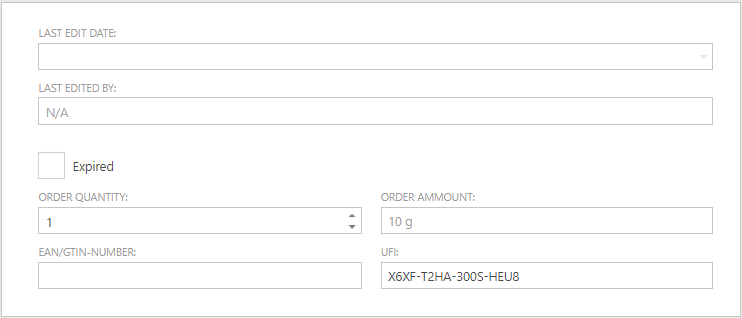
A UFI number can be recorded for an article
Starting from January 1, 2025, it will be a legal requirement to have a UFI code on the labels of products with physical and/or health classifications. UFI, which stands for 'Unique Formula Identifier', allows for the tracing of a particular product from a specific supplier. This code will enable emergency responder at the poison control center to provide correct advice in case of an incident.
The UFI number can be entered in SOFOS360 on the Articles screen and can be found next to the field 'EAN/GTIN NUMBER'.
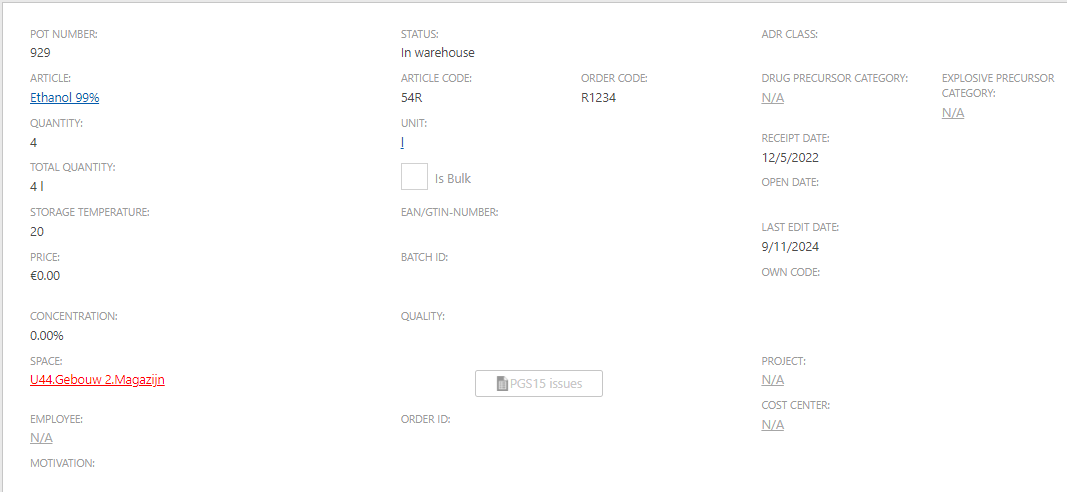
During a pot mutation, you will receive a notification if the maximum stock limit in the selected room is exceeded or will be exceeded
From this version onward, you will receive a notification during a pot mutation (creating a new batch, issuing, returning to the warehouse) if the pot is placed in a room where, after placement, it would exceed any defined maximum stock limit for that room. The room will be highlighted in red on the mutation screen where the change is being processed.
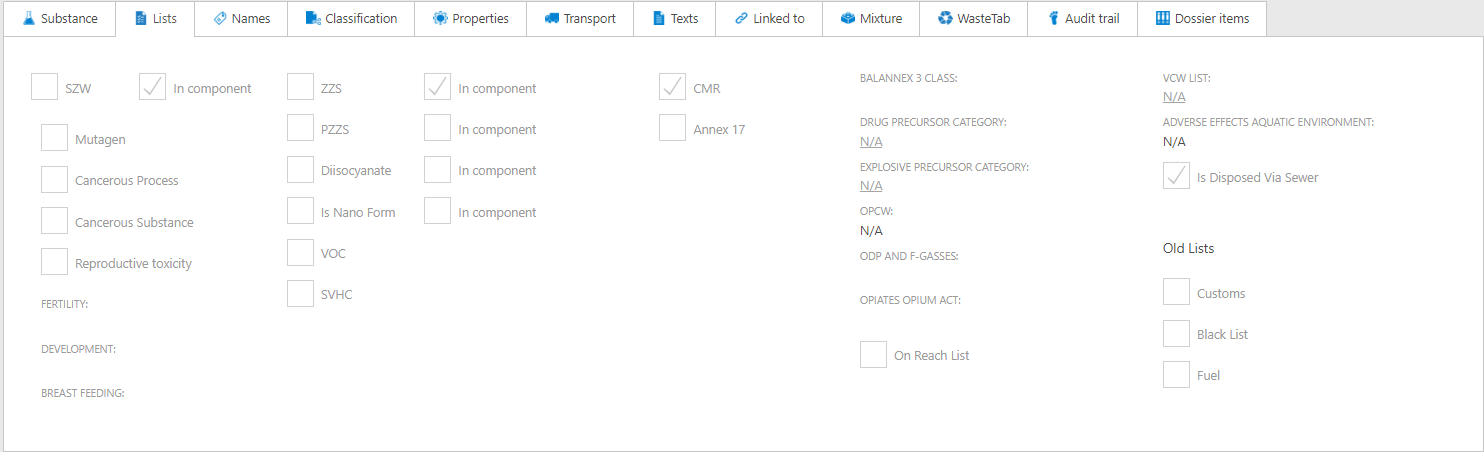
Adjustments to the 'Lists' tab in a substance
The 'Lists' tab of a substance has been reorganized. Furthermore, on this screen, it is now visible when one of the mixture components appears on the SZW list. This was already visible for substances such as ZZS and PZZS, and is now also visible for SZW.
If a component in a mixture has an SZW indication, you can find this information on the Lists tab, similar to the ZZS indication. Additionally, Annex 12a and Annex 12b lists have been replaced by the BAL Annex 3 list. The first two lists were part of the Activities Decree, which has now transitioned into the Environmental Activities Decree (BAL). Furthermore, the ODS indication has been removed and has been incorporated into the 'ODP and F-Gases' indication. Finally, Annex 14 has also been removed and incorporated into the REACH authorisation list entry.
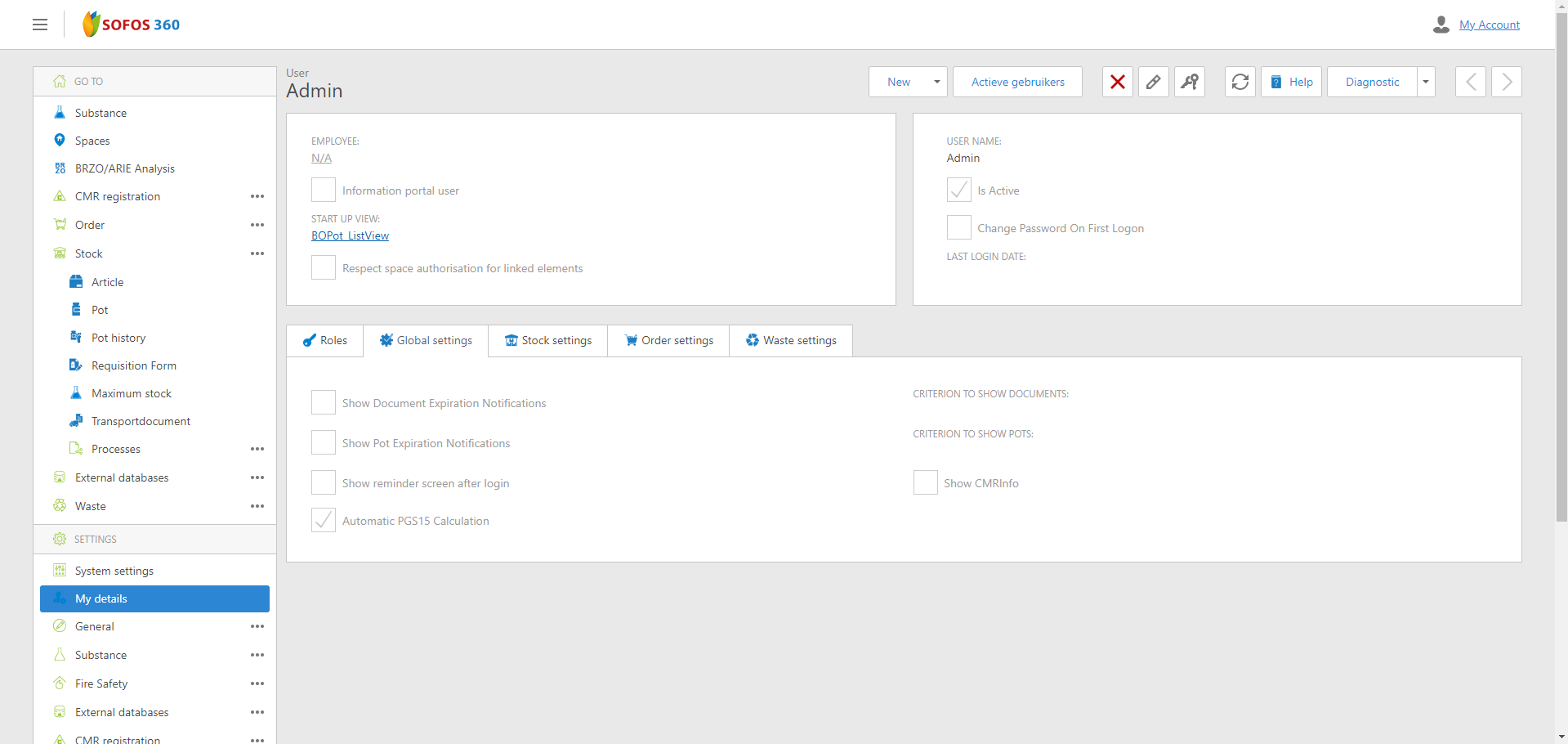
The automatic determination of potential PGS15 notifications for pot mutations can be configured
Starting from this version, users can configure whether PGS15 notifications for pot mutations are determined automatically. In large databases, this determination process can take longer, potentially slowing down daily operations.
In the user settings (Settings - 'My Information') on the 'General Settings' tab, you can specify whether the determination should occur automatically or not. In the first case, when performing a pot mutation for the selected area, the system will check for any PGS15 notifications. If there are notifications, the button will be active and display red text. If there are no notifications, the button will be inactive. If the determination is not set to occur automatically, the button will always be active and display the normal text color. Clicking on an active button will display the PGS15 report for the selected area in both cases.
The 'Stock' report now includes an additional indicator that shows when the current stock exceeds the maximum limit for a specific space
For a specific space, you can set a maximum stock level for a certain substance. Once the stock module is installed, pots can also be placed within a room. Under the 'Report - Stock' menu, there is an option for a 'Stock' report where you can choose the 'Chemical product stock (totals per room)' report type. This report has been enhanced with two additional columns: one for the maximum stock set for each room and another indicating when the current stock surpasses this maximum. If the current stock exceeds the maximum, a red exclamation mark appears in the column. You can search for this exclamation mark within the report to identify these instances of exceeding the maximum stock.
New EU classifications added
From 1 May 2025, suppliers are required to indicate for new substances, where applicable, whether the substance possesses endocrine disrupting properties or poses a long-term risk to the environment. To this end, a number of new classifications have been added within the EU including a number of new H-phrases (EUH-phrases). In this version of SOFOS360, these new classifications have been added. These are the following classifications:
| Classification |
EUH-statement |
Description |
| ED HH 1 |
EUH380 |
May cause endocrine disruption in humans
|
| ED HH 2 |
EUH381 |
Suspected of causing endocrine disruption in humans |
| ED ENV 1 |
EUH430 |
May cause endocrine disruption in the environment |
| ED ENV 2 |
EUH431 |
Suspected of causing endocrine disruption in the environment |
| PBT |
EUH440 |
Accumulates in the environment and living organisms including in humans |
| zPzB |
EUH441 |
Strongly accumulates in the environment and living organisms including in humans |
| PMT |
EUH450 |
Can cause long-lasting and diffuse contamination of water resources |
| zPzM |
EUH451 |
Can cause very long-lasting and diffuse contamination of water resources |
Extra additions
- Now you can initiate a search for a new substance in the external database (BIG, AZH, DGZ, and Chemwatch) by pressing Enter. It is no longer necessary to click the 'Search substances' button after entering the search term.
- When a substance is discharged into the sewer, this is now mentioned in chapter 13 of the SDS.
- An expected receipt date can now be specified for each order, and an additional field is available for recording any delivery-related agreements.
- The EINECS number has been replaced by the EC-number.
- It is no longer possible to select an expired space in pot mutations . The expired spaces are now filtered out from the list of possible spaces.
- The department linked to the space of the pot is now visible in the pot overview, even when the space is not visible due to authorisation rules. This allows users to see the department linked to a space that they may not have access to, making it easier to borrow a pot from another department.
- When adding the maximum stock based on an article, it is now possible to add extra columns to the article search screen to make it clearer which article is involved.
- When retrieving a new substance from the Chemwatch database, the system now shows how many Chemwatch substances have already been retrieved.
- When replacing a substance with a substance from the third-party database via the 'Replace substance data' menu item, it is now possible to include the column with the external ID when manually linking a substance in the result screen. For Chemwatch substances, this ID can be used to check on the Chemwatch website if a found substance is the desired one.
- In the pot overview, the 'Source' column has been added. This column shows the source (SOFOS, BIG, DGZ, AZH, or Chemwatch) of the substance linked to an article. This allows you to determine whether certain frequently used articles linked to a SOFOS360 substance might be better linked to a substance from the third-party database, so that the substance information can be updated.
- All unit selection screens now support filtering by 'Frequently used' units.
- The new substance databases from BIG, AZH, and DGZ are available in this version.
